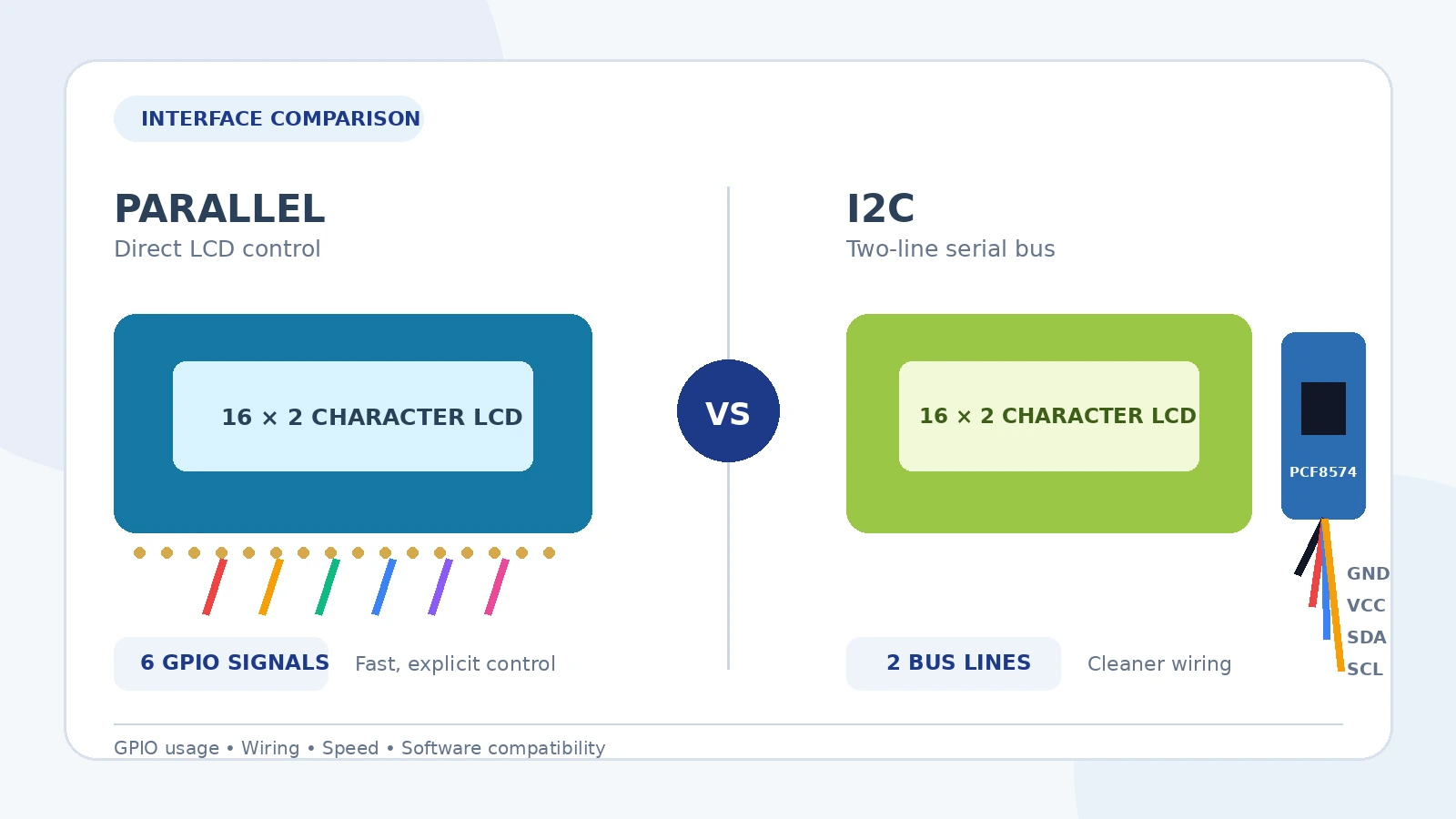
LCD1602A character displays remain a practical choice for control panels, test equipment, educational kits and embedded products that only need clear text output. The same 16 × 2 display is commonly supplied in two interface configurations: the original parallel version and a version fitted with an I2C backpack.
The display area may look almost identical, but the two versions place very different demands on the controller, wiring and software. This guide explains the difference and gives a straightforward selection method for procurement and development teams.
What is the main difference?
A standard LCD1602A module exposes the controller’s parallel interface directly. In a typical 4-bit connection, the host uses the RS and Enable control lines together with four data lines. The R/W pin is often connected to ground when the application only writes to the display.
An I2C version adds a small adapter board, usually called an I2C backpack. The backpack commonly uses a PCF8574 or compatible 8-bit I/O expander to translate I2C commands into the parallel signals required by the LCD controller. The microcontroller then communicates through SDA and SCL instead of driving the LCD pins directly.
Quick comparison
| Selection factor | Parallel LCD1602A | LCD1602A with I2C backpack |
|---|---|---|
| Controller pins normally required | About six GPIO pins in common 4-bit write-only wiring | Two I2C bus lines: SDA and SCL |
| Wiring | More individual signal wires | Usually four external connections: power, ground, SDA and SCL |
| Communication path | Microcontroller drives the LCD interface directly | I2C data passes through an I/O expander before reaching the LCD |
| Update speed | Normally faster and more direct | Normally slower because each LCD operation requires I2C transfers |
| Software | Widely supported by standard HD44780-compatible libraries | Requires an I2C LCD library that matches the backpack wiring and address |
| Debugging | More wires, but signal mapping is explicit | Cleaner wiring, but address and backpack pin mapping must be correct |
| Best fit | Pin-rich controllers, fast updates and tightly controlled designs | Compact wiring, limited GPIO and projects sharing an I2C bus |
When the parallel version is the better choice
1. The controller has enough spare GPIO
For an Arduino Uno, PLC-style controller board or custom MCU board with adequate free pins, the direct connection may be the simplest technical solution. There is no additional expander and no I2C address to configure.
2. Display update speed matters
A character LCD is not intended for animation, but some applications rewrite complete lines frequently. Direct parallel control avoids the extra I2C transaction overhead and generally provides faster updates.
3. You need predictable hardware mapping
With a direct interface, the schematic defines exactly which controller pin connects to RS, Enable and each data line. This is useful in production designs where the firmware, PCB and display interface are controlled together.
4. You want to avoid backpack compatibility differences
I2C backpacks are not always wired identically internally. Two boards using a similar I/O expander may map the expander outputs to the LCD pins differently. A direct parallel module removes this additional compatibility variable.
When the I2C version is the better choice
1. GPIO pins are limited
This is the most common reason to choose I2C. The display shares the controller’s SDA and SCL lines, leaving more pins available for sensors, relays, buttons and communication interfaces.
2. You want cleaner and faster assembly
A four-wire connection is easier to assemble, inspect and service than a larger parallel harness. This can be especially useful for prototypes, educational kits and small production runs.
3. The project already uses an I2C bus
Many embedded systems already connect devices such as temperature sensors, real-time clocks or I/O expanders through I2C. An I2C LCD can normally share the same bus, provided that device addresses, voltage levels and total bus loading are suitable.
4. The display is mounted away from the main controller board
Reducing the number of conductors can simplify a front-panel cable. However, I2C is still intended primarily for short board-level connections. Cable length, electrical noise, pull-up resistance and bus speed should be evaluated for the actual installation.
Important checks before purchasing
Controller and instruction compatibility
Many LCD1602A modules are designed around the HD44780 command set or a compatible controller. Confirm the exact controller or compatibility statement when the firmware depends on a particular instruction set or timing requirement.
Operating voltage and logic levels
Do not assume that every display and backpack is suitable for every 3.3 V or 5 V controller. Check the LCD logic supply, backlight requirements and I2C pull-up voltage. A module powered at 5 V may place its I2C pull-ups at 5 V, which may not be acceptable for a non-5-V-tolerant microcontroller.
I2C address
The PCF8574 family uses address selection inputs, but the actual address depends on the expander variant and how the backpack’s address jumpers are configured. Scan the bus or confirm the supplier’s default address before troubleshooting the software.
Backpack pin mapping
An I2C library must know how the expander outputs connect to RS, Enable, data pins and backlight control. A correct I2C address alone does not guarantee that a library configuration matches the backpack.
Contrast adjustment
Both versions normally require contrast adjustment. On a direct module this is handled through the VO pin and an external potentiometer. Most I2C backpacks include a small adjustment potentiometer. A blank screen or a row of solid blocks can be a contrast or initialization issue rather than a defective display.
Common troubleshooting points
- Backlight on but no characters: check contrast, initialization timing, pin mapping and power.
- Solid blocks on the first line: the LCD may have power but may not have completed initialization.
- I2C device not detected: verify SDA/SCL wiring, common ground, address, pull-ups and voltage.
- Random or corrupted characters: inspect power stability, cable length, timing and loose connections.
- Library compiles but the display does not respond: confirm that the library supports the actual backpack mapping and constructor parameters.
Simple selection guide
Choose the parallel LCD1602A when the controller has sufficient GPIO, faster direct updates are useful, or the interface must be fully controlled in a custom hardware design.
Choose the I2C LCD1602A when GPIO conservation, neat wiring and quick assembly are more important than maximum update speed.
For most prototypes and multi-sensor Arduino-style projects, the I2C version is usually more convenient. For cost-controlled production hardware with available pins and a fixed PCB design, the direct parallel version may be simpler and easier to standardize.