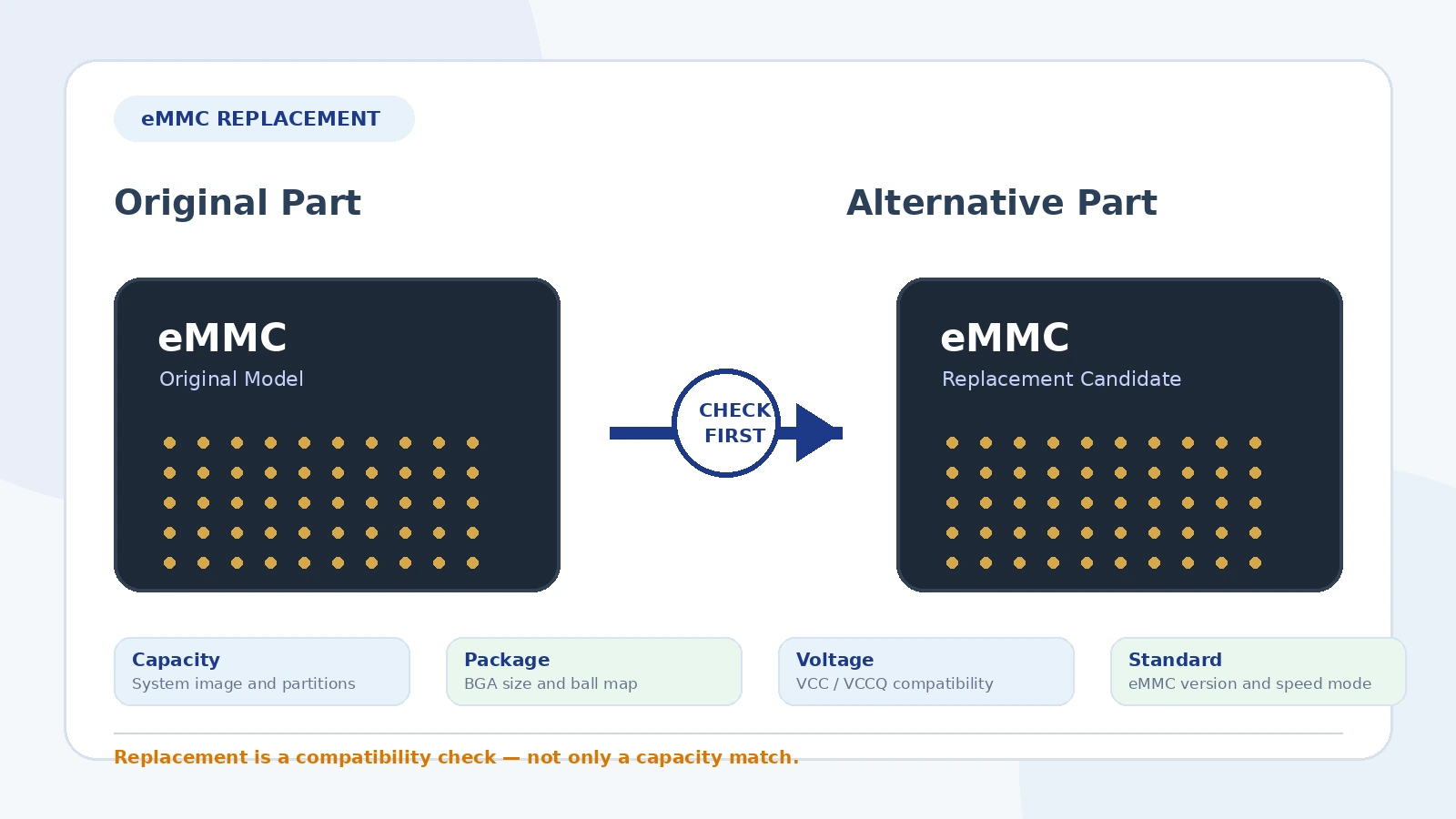
When an eMMC chip becomes difficult to source, discontinued or too expensive, it is tempting to replace it with another device that has the same capacity. In real projects, that is usually not enough. eMMC is an embedded storage device that combines NAND flash, a controller and an MMC interface inside a BGA package, so replacement depends on both electrical and system-level compatibility.
A suitable eMMC alternative should be checked against the original part number, the PCB footprint, the boot configuration, the firmware requirements and the target application. This guide explains the main items to verify before changing to an alternative eMMC part.
Need an eMMC alternative?
Send us the original model, capacity, package and required quantity.
We can help check available options and possible compatible alternatives based on the original part number and application details.
Why eMMC replacement requires more than capacity matching
Two eMMC chips may both be described as 8GB, 16GB or 32GB devices, but that does not guarantee interchangeability. The replacement may use a different package size, ball map, voltage range, boot behavior, speed mode, firmware behavior, temperature grade or life-cycle status.
In production equipment, a wrong replacement can cause problems such as no boot, unstable firmware updates, storage recognition failure, signal integrity issues, soldering mismatch or unexpected behavior under temperature stress. For this reason, eMMC replacement should be treated as a compatibility review rather than a simple product substitution.
Replacement checklist at a glance
| Check item | What to compare | Why it matters |
|---|---|---|
| Capacity | User capacity and partition requirements | The system image, boot partitions and update process must fit the replacement |
| Package | BGA size, thickness and ball count | The chip must match the PCB footprint and assembly process |
| Ball map | Signal, power, ground, reserved and no-connect balls | Similar packages can still have different pin assignments |
| Voltage | VCC and VCCQ supply levels | Incorrect voltage compatibility can prevent operation or damage the device |
| eMMC version | eMMC 4.x, 5.0, 5.1 or other supported standard | The host controller and bootloader must support the device feature set |
| Speed mode | Legacy, High Speed, HS200, HS400 and timing settings | Unsupported speed modes can cause recognition or stability issues |
| Temperature grade | Commercial, industrial or automotive temperature range | Industrial and outdoor equipment often require wider operating temperature |
| Boot behavior | Boot partition, user area, RPMB and EXT_CSD configuration | Some systems rely on specific boot and security settings |
| Software validation | OS image, bootloader, driver and firmware update process | The replacement must be validated in the actual target board |
1. Start with the complete original part number
The first step is to identify the complete original model, including all suffixes. Memory part numbers often contain information about density, package, temperature range, generation, speed grade and manufacturer-specific options. A shortened model name may not be enough for replacement screening.
When requesting a cross-reference, provide clear label photos and the full marking on the chip or original packaging. If the original data sheet is available, include it. This reduces the risk of selecting a candidate with the wrong package or configuration.
2. Match the capacity and system image requirements
Capacity is the most visible parameter, but it still needs careful review. A replacement with the same nominal capacity should provide enough usable space for the operating system image, application data, boot partitions and future updates.
In some cases, an application can accept a larger capacity replacement. In other cases, the software image, partition table or production programming process may expect a specific capacity range. Before changing capacity, confirm that the host system, firmware and production tools can support the new device.
3. Confirm package dimensions and BGA footprint
eMMC devices are supplied in BGA packages with different sizes, ball counts and thicknesses. A replacement must physically match the PCB footprint or the board design must be changed. Check:
- package length and width;
- package thickness and height restrictions;
- ball count and ball pitch;
- standoff and soldering profile requirements;
- keep-out area around nearby components;
- compatibility with the existing stencil and reflow process.
Even when the package outline appears similar, the detailed mechanical drawing should be reviewed before selecting a replacement.
4. Verify the ball map and pin compatibility
This is one of the most important checks. The replacement must match the original signal, power, ground and reserved ball assignments. A device with the same ball count is not automatically pin-compatible.
Pay attention to data lines, command, clock, reset, data strobe, power rails, ground balls, reserved balls and no-connect positions. Some designs may also rely on specific signals or features that are not required in a more basic application.
A package-level match is not enough. Always compare the controlled manufacturer data sheet or the official ball map before treating an eMMC device as a drop-in alternative.
5. Check VCC and VCCQ voltage compatibility
eMMC devices use separate supply domains. The NAND core supply and interface supply must match the host design. Review the required VCC and VCCQ levels and confirm that the target board supports them.
If the original system is designed for a specific I/O voltage, an alternative device must be compatible with that voltage. A mismatch can lead to boot failure, unstable communication or device damage.
6. Compare the eMMC standard and supported features
eMMC has evolved through multiple standard versions, including widely used 4.x and 5.x generations. A newer eMMC part is not always a problem, but the host controller, bootloader and operating system must be able to initialize and operate it correctly.
Check the supported command set, EXT_CSD behavior, boot features, high-speed modes and any manufacturer-specific requirements. If the original board was designed and validated with a specific generation, a sample test is strongly recommended before changing to a different generation.
7. Review speed mode and signal integrity
Speed mode compatibility can affect stability. The replacement should support the speed mode used by the host, such as legacy mode, High Speed, HS200 or HS400. Higher capability does not automatically mean the host board can use it safely.
For high-speed operation, PCB layout, trace length, impedance, clock quality, data strobe routing, pull-up configuration and power integrity may all influence reliability. If a replacement changes timing behavior or operating mode, validate read/write stability under the actual system conditions.
8. Select the correct temperature grade
Temperature grade is important for embedded and industrial systems. Commercial-grade devices may be acceptable for indoor consumer applications, while industrial, outdoor, communication and automotive-related equipment often require wider temperature capability.
Do not replace an industrial-grade part with a commercial-grade part unless the application requirements clearly allow it. Review both operating and storage temperature ranges and any derating notes in the data sheet.
9. Check boot partitions and production programming
Many systems boot directly from eMMC. The replacement must support the required boot configuration and must be compatible with the programming method used in production or repair. Check:
- boot partition support;
- user area size and partition layout;
- RPMB requirements, if used;
- boot bus width and boot mode settings;
- production programming tools;
- firmware update and recovery process.
If the system image or bootloader expects a specific configuration, the replacement should be tested on the actual board before larger procurement.
10. Consider endurance and application workload
Although this article focuses on replacement rather than health inspection, endurance still matters in design selection. Applications with frequent logging, database writes, video recording or industrial data collection may need a device grade and capacity that provide sufficient write endurance.
When the application is write-intensive, ask for device information that helps evaluate suitability, such as product family, temperature grade, endurance-related documentation and manufacturer application guidance. Avoid selecting a replacement only by price and capacity.
11. Confirm availability and life-cycle status
Replacement selection is also a sourcing decision. A technically suitable alternative is less useful if it is already close to end-of-life, only available in unstable channels or difficult to buy for future production.
For long-term projects, check whether the candidate has reasonable availability, acceptable lead time and stable supply options. For repair and low-volume replacement, availability may be the main driver, but compatibility should still be verified.
12. Validate with samples before batch replacement
Before changing the approved eMMC part in a product, sample validation is strongly recommended. At minimum, check:
- device recognition by the host;
- boot from the intended partition;
- read and write stability;
- firmware image programming and update process;
- operation under normal and high-temperature conditions;
- power-cycle and reset behavior;
- longer read/write stress testing where relevant.
For production changes, the validation plan should be defined by the engineering team responsible for the end product.
Information to provide when requesting an eMMC alternative
- complete original part number;
- clear chip label photo;
- original data sheet or link, if available;
- required capacity;
- package size and ball count;
- target application or equipment type;
- commercial, industrial or automotive temperature requirement;
- required quantity and target delivery time;
- whether a larger capacity replacement is acceptable;
- whether sample testing is required before batch order.
How Yunhan Zhilan can support your eMMC requirement
Yunhan Zhilan can help customers check available sourcing options for eMMC chips and screen possible alternatives based on the original part number, package information and application requirements.
- Original model search: check availability for the exact manufacturer part number.
- Alternative part screening: compare capacity, package, voltage, standard version and temperature grade.
- Hard-to-find models: help search discontinued or difficult-to-source memory devices.
- Sample support: support small-quantity verification before larger orders where supply conditions allow.
- Documentation support: help organize available data sheets, label photos and basic comparison information.
- International shipping: support overseas customers with practical delivery options.
Looking for an eMMC replacement?
Send the original part number, capacity, package and required quantity.
We can help check exact availability and possible compatible alternatives. Final compatibility should be verified through data-sheet review, PCB design check and sample testing.
Final selection principle
The best eMMC replacement is the part that fits the original design at the electrical, mechanical, software and sourcing levels. Capacity is only the starting point. Package, ball map, voltage, eMMC version, speed mode, temperature grade, boot behavior and validation results should all be reviewed before adopting an alternative.
For repair and low-volume sourcing, the process may be faster, but the same principle remains: send the exact original model and application details first, then screen available options before ordering.
Ready to check availability?
Send us your eMMC model and target quantity.
Our sourcing team will review the requirement and respond with available options or the information needed for replacement screening.
Contact Our Sourcing Team